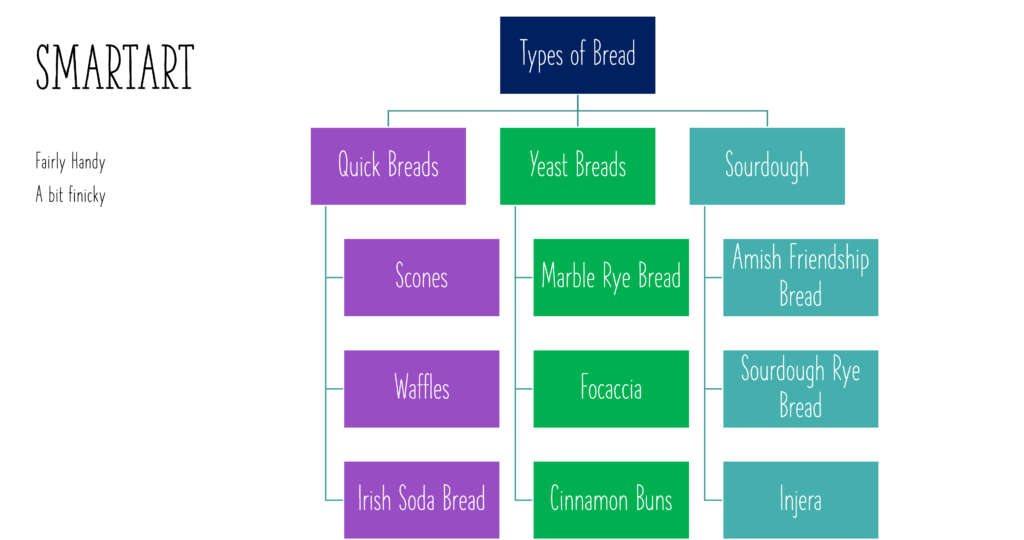
I have used Microsoft Powerpoint for several years, and I never pressed the SmartArt button in the Insert Tab. It has many useful templates to use for making posters, infographics, concept maps, and more. I have made similar designs by hand before and spent quite a long time on them. I just made a quick one with SmartArt and it’s not perfect, but it works well enough.
I now plan to try using powerpoint or google slides for making classroom tools such as exit tickets and worksheets with images and fill in the blanks. The tool to remove background images is very useful for creating graphics or memes for class. There are even 3D animals, plants, objects, cells, and molecules to explore for science. There are also realistic and drawn stock images to add to projects to encourage dual coding.

There is also an interactive graph creator called Power BI. It may be worth exploring for when I need to show graphs in class. I have never used Photoshop or similar programs before, so starting with Microsoft Powerpoint feels the most comfortable. If I start running into things that I can’t easily do on powerpoint, I may try those programs out.
Leave a Reply
You must be logged in to post a comment.